
How is a Booking Submitted
The Yourgi platform has a Yourgi Pet Parent platform where pet parents will search their area for Pros like you! They will be able to place a reservation if their pet meets your restrictions, including:
- Species
- Age
- Size
- Neuter/Spay Requirements
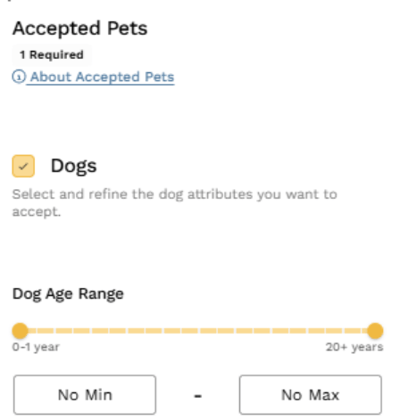
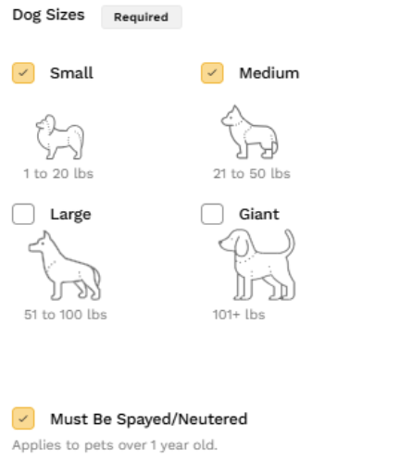
Once a pet parent submits a request, you as a Pro will have 72 hours to accept the reservation, or the booking will be auto canceled.
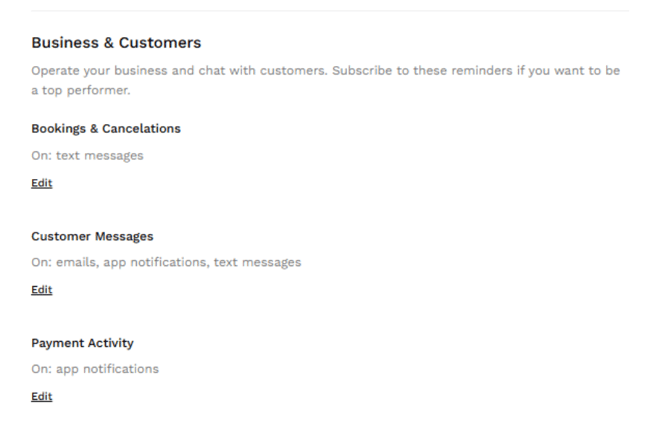
To avoid missing any bookings, be sure your notifications are on and to your liking in the Notifications Tab:
How to Accept a Booking
When a new bookings comes through, you will want to check the Bookings Tab. Here is where you will find bookings that need to be reviewed and accepted or declined. As a reminder, you will have 72 hours to accept the reservation, or it will be auto canceled.
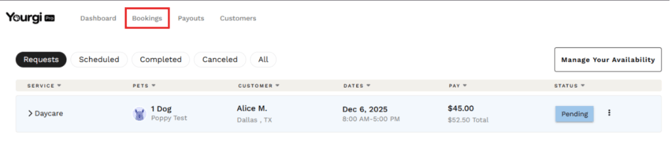
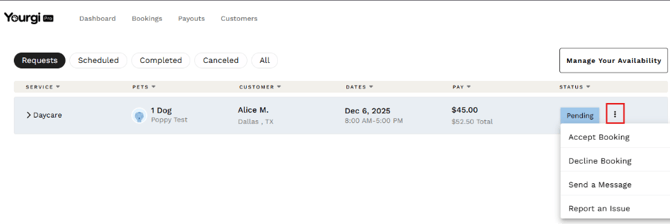
Click the ellipses within the reservation to: accept or decline the booking, message the customer, or report an issue:
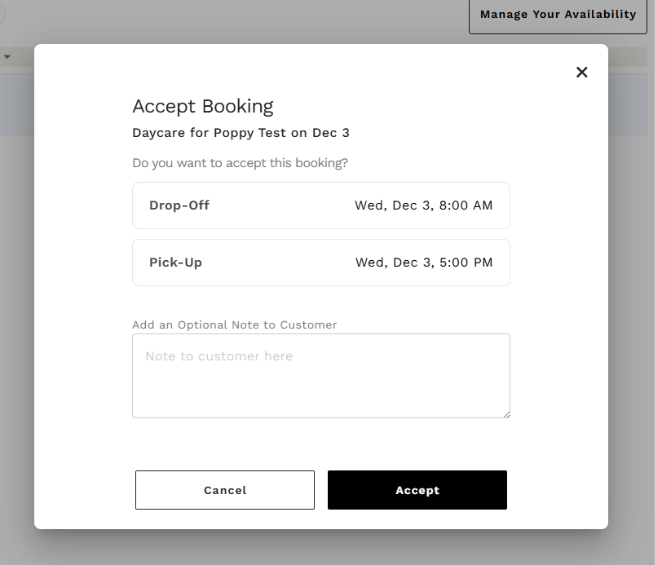
Once you click the Accept option, you can add an optional note to the customer and then click the “Accept” button:
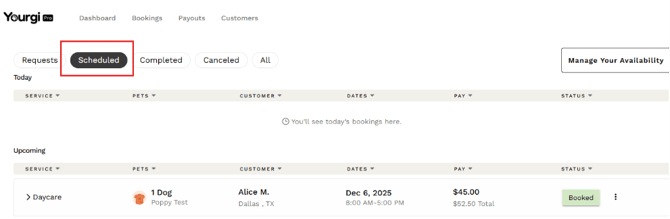
Once accepted, the reservation will appear under the “Scheduled” Tab:
How to Complete a Booking
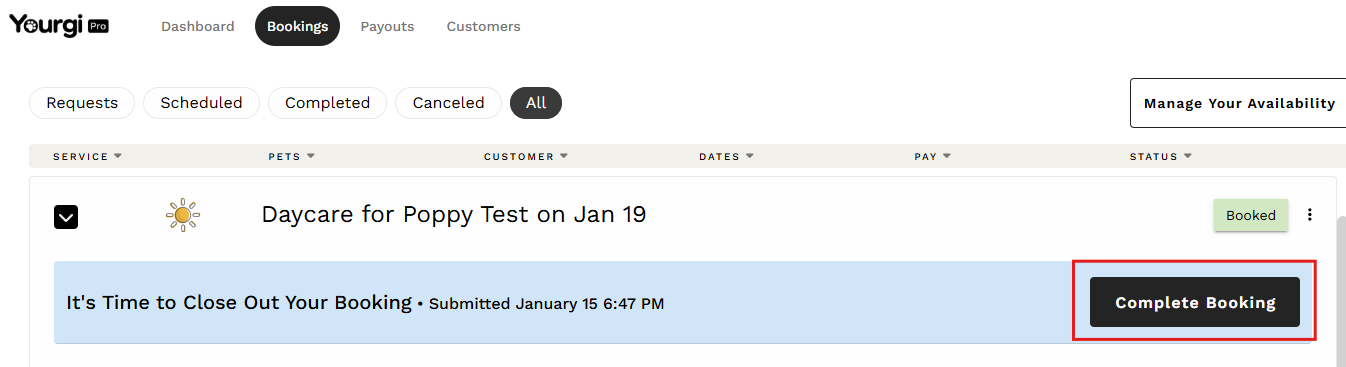
Once the reservation has ended and the pet has been picked up, you will want to go to the “All” Tab where you will you will click the "Arrow" to show reservation details:

Then click the "Complete Booking" button:
Quick Tips to Get More Bookings
Here some info on how to optimize your profile and grow your business!✨ Did we tell you about our Yourgi Rewards Program?
Bring your clients to Yourgi and they will be enrolled in the Yourgi Rewards Program where they will be able to accrue points that turn into dollar rewards when they book with you! Don’t worry, any rewards applied will be covered by Yourgi, so your payouts won't be affected!