
When searching for pet care on Yourgi, you may see both Yourgi Pros and Pet Centers.
This article explains how to tell the difference.
Step 1: Search for Care
Open the Yourgi app or website, enter your location, choose a service, and run your search.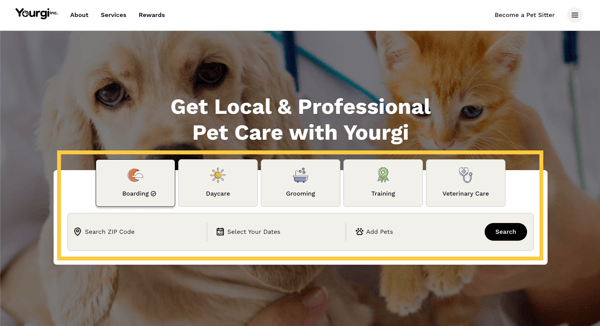
Step 2: Review Results
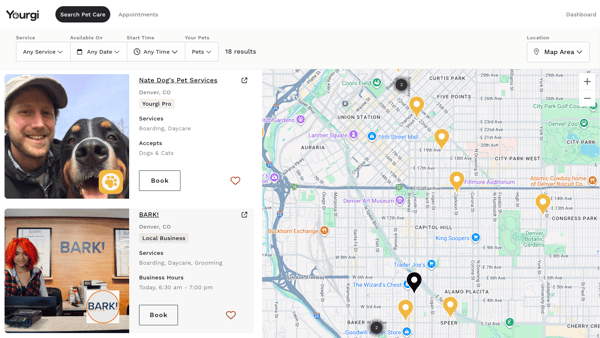
Search results may include both individual Yourgi Pros and Pet Centers.
Step 3: Identify a Yourgi Pro
Yourgi Pros are identified by a yellow Yourgi badge and the label “Yourgi Pro.” They typically show a personal profile photo and do not list business hours.

Step 4: Identify a Pet Center
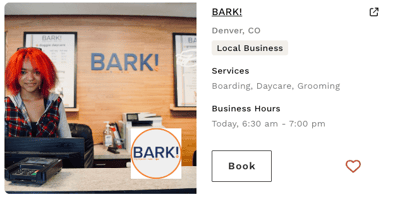
Pet Centers are labeled as “Local Business,” display business hours, and have a business logo on their profile image.
In summary...
If you see the yellow badge, you are viewing a Yourgi Pro.