
Step 1: Visit the Website
To book with a Yourgi Pro, clients can go to www.yourgipet.com to get started.
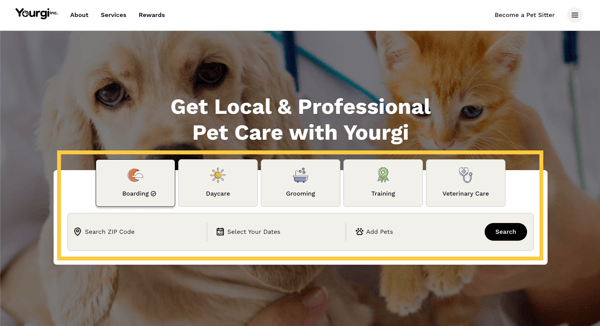
Step 2: Search for Available Services
On the website, they'll see an option to quickly search for pet care services.
- Select the type of pet service you’re looking for
- Enter your ZIP code, service dates, and number of pets
- Click ‘Search’
A list of available Yourgi Pros and centers that match their search criteria will appear in the list.
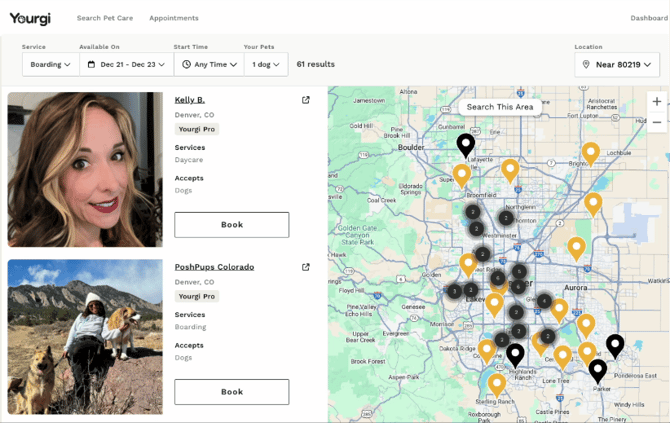
This is when you can direct your clients to look for your profile to book with you.
Your clients might be looking for a new vet or groomer, and YourgiPet.com is the place for them to be able to search for other locations that are in our network of providers where they can book and earn rewards for all of their pet services.
Step 3: Review the Yourgi Pro’s Profile
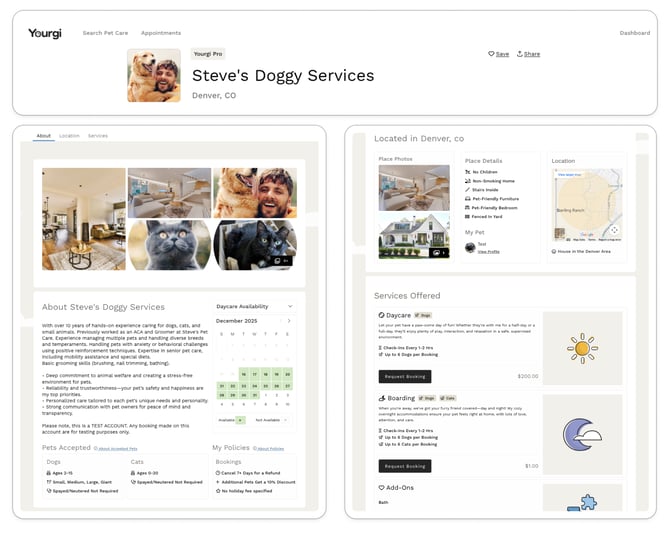
All clients can click on the Pro's photos to review their profiles. Here they can review important details to help you decide if they’re the right fit, including:
- Bio: Learn about the Pro’s experience, background, and who they are as a caregiver
- Location: See where the Pro is located to ensure it’s a good fit for your needs
- Services offered: Boarding, daycare, and add-ons
- Pricing: Review rates for each service
- Availability: Check dates and times the Pro is available
- Photos: View images of the care environment and pets the Pro has cared for
- Cancellation policy: Understand the Pro’s cancellation terms before booking
Example of a Yourgi Pro profile content:
Step 4: Select Services and Dates
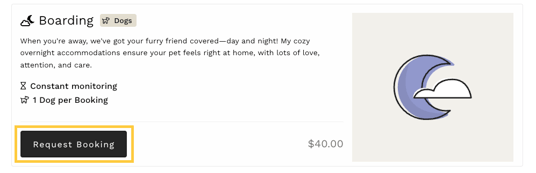
Clients can then select the service and enter in all of the date and time details and ‘Request Booking’
- Choose the service you need by clicking ‘Request Booking’
- Confirm y dates and times then click ‘Continue’
- Select the pet(s) for this booking request
- Enter any information about your pet that will be helpful to the Pro/caregiver
Step 5: Review Booking Information
Clients can then review booking details to ensure all information is correct before submitting the booking request to Pro/caregiver.
Step 6: Payment Information
After reviewing their payment information (billing address and payment method), they would click ‘Pay $ Now’ to submit your request.
Step 7: Booking Confirmation
Once the you, the Yourgi Pro, accepts the client's request:
- Their booking is confirmed (As a Pro, you will also see this on your bookings page)
- Their payment is processed securely through Stripe
- The Pro or the client can message through Yourgi to coordinate care details