
During the application and onboarding process, Pros will be prompted to add prior experience. In the Experience section, Pros can add strong photos and videos to stand out and build trust. A great first impression is important to pet parents.
Profile Photo
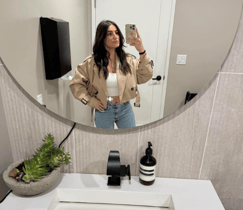
Your profile photo should reflect your personality and help future Pet Parents feel connected before they even meet you.
Choose a clear, friendly image—bonus points if it includes a furry friend! Keep it professional-ish: avoid group shots, heavy filters, or anything that hides your face (like hats or sunglasses). Selfies are totally fine, as long as they’re bright, clear, and welcoming. Have fun with it!
Examples of Profile Photos
Do's ✅
|
 Natural lighting, professional clothing, warm smile
|
Don'ts 🚫
|
|




Tips for Photos & Videos:
- Use Clear, Bright Images: Choose well-lit photos (natural light works best). Avoid blurry/dark images.
- Show Personality & Space: Add photos of you with pets (walking, playing, cuddling). If hosting, show your home/yard. Keep spaces tidy. Ensure pet-accessible spaces are clean, safe, and well-lit in photos
- Highlight Pet Experience: Feature pets you’re comfortable with (dogs, cats, etc.). Videos of you with pets build confidence.
- Update Regularly: Refresh every few months or seasonally. Keep profiles engaging
|
|
Do's ✅ |
Don'ts 🚫 |
| Pets | 
Good lighting, in focus |

Avoid photos that are too dark. |
|
You with Pets |

Playing, going on walk, bathing or engaging with the pets in some way. |
|
|
Interior |
|
|
|
Exterior |
|
|
 Showing things that might be risky, or could cause harm should be avoided
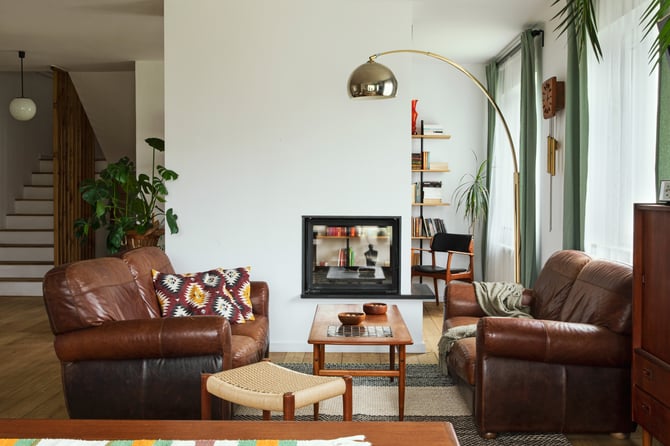 Well light, showing off spaces where pets are welcome and unique features, like stairs.
  Dark interior photos, or photos that lack context should not be used.
  Showing the outside spaces that pets will use while at your home.
 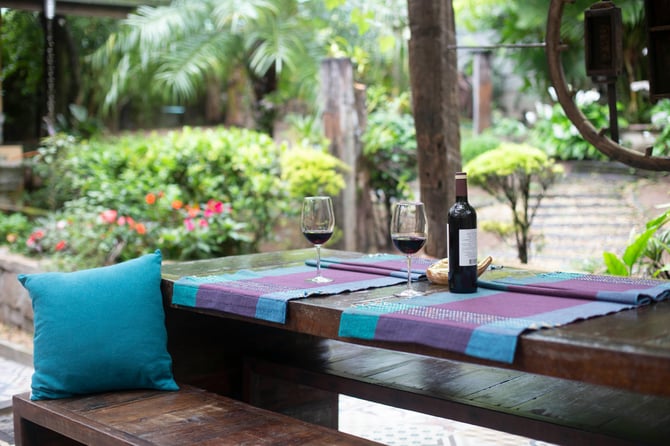 Keep the focus on pet friendly spaces.
 ✨ Pro Tips
- Pros who add 3–5 great photos and a short video are more likely to get booked.
- Use JPEG/PNG for photos, the minimum size for a good photo is 800x600 pixels.
- Use MP4 for videos, keep them under 60 sec for faster load.
- Don't forget to save!
Q&A
How do I upload photos & videos on Mobile (App)?
Open Yourgi Pro App → Log in → Tap Profile (bottom right) → Edit Profile → Photos & Videos → Add Photo/Video → Choose Take New or Upload from Gallery → Adjust & Save. Repeat for at least 3–5 photos + 1 video.
How do I upload photos & videos on Desktop (Web)?
Log in → Click Profile (top right) → Edit Profile → Photos & Videos → Upload Photo/Video → Select from computer → Preview & Save
.